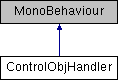
Creates a Unity3D Object to Inherit the Functionality of a DC/RTS ControlObjHandler within the Unity3D Environment.
More...
Creates a Unity3D Object to Inherit the Functionality of a DC/RTS ControlObjHandler within the Unity3D Environment.
| static List<Transform> ControlObjHandler.DetermineInMultiSelect |
( |
Vector2 |
init, |
|
|
Vector2 |
end |
|
) |
| |
|
static |
Determines if Control Objects are within the MultiSelectToggle based on Screen Coordinates.
- Parameters
-
| init | The Initial Screen Coordinate. |
| end | The Final Screen Coordinate. |
- Returns
- List of Unity3D Transform Objects within the Bounds of the init and end Vector2.
Gets a the Current Path Tiles.
Gets the Path Tile the Control Object is Moving Towards.
- Returns
- The GridGenerator.GridSquare that the Control Object is Moving Towards.
| bool ControlObjHandler.isActiveCollision |
( |
| ) |
|
Is the Control Object Colliding with anything?
- Returns
| bool ControlObjHandler.isActiveTarget |
( |
| ) |
|
Is the Control Object an Active Target?
| bool ControlObjHandler.isValidMovePathTileCount |
( |
| ) |
|
Is the Current Move To Path Tile not the Last Tile?
| void ControlObjHandler.setActiveTarget |
( |
bool |
val | ) |
|
Sets whether the Control Object is an ActiveTarget.
This is Called for when the Control Object is Selected.
- Parameters
-
| override string ControlObjHandler.ToString |
( |
| ) |
|
Returns the Name of this Control Object.
| Color ControlObjHandler.ActiveColor = Color.white |
The Color of this Control Object's SelectedIndicator.
| float ControlObjHandler.BarRotationVal |
The rotation of this health bar
| string ControlObjHandler.Controller_Name = "NEWCONTROLLER" |
The Name of this Control Object.
| bool ControlObjHandler.DisplayHealth = true |
Will this Control Object display health above it's head?
| Rect ControlObjHandler.HealthBarDimens |
The Dimensions of the Health Bar above the Control Object's head
| Texture ControlObjHandler.HealthBubbleTexture |
The Texture of an individual health bubble
| Texture ControlObjHandler.HealthTexture |
The Texture to use to indicate health
| Material ControlObjHandler.IndicatorMaterial |
The Indicator Material to use for drawing the Toggle Indicator around the Control Object
| bool ControlObjHandler.ToggleIndicatorSelect = true |
Will this Control Object use the Toggle Indicator?
This is the selected outline around the Control Object
| bool ControlObjHandler.VerticleHealthBar |
Is this a Verticle Health Bar?
| bool ControlObjHandler.isPositionReached |
|
get |
Has the Desired Position been reached for moving to a calculated path?
| bool ControlObjHandler.Moveable |
|
getset |
Does the Control Object have a Path to Traverse?
The documentation for this class was generated from the following file:

 1.8.3.1
